Role
UX Designer
Team
Vaibhav Doifode - UX (Myself)
Prateek Reddy Chiluka - UX
Duration
Nov 2024 - Dec 2024
Observation
Participants and Methodology
Five participants with different experience levels were observed while clearing ChatGPT memory. They located old chats, deleted unnecessary conversations, and checked available memory. We measured task time, errors, and frustration using time logs, error tracking, and post task surveys.
Description of Findings
The study revealed clear usability issues. Frequent users moved faster but were frustrated by the lack of bulk deletion. Intermediate users made errors while distinguishing between chats and reported moderate frustration. The beginner user struggled the most, often selecting the wrong options and misreading unclear labels. Across all participants, the lack of visual cues for memory heavy chats made the task harder.
Visual Representation of Findings
The data is summarized in three bar graphs, depicting completion time, error rate, and frustration levels for each participant.
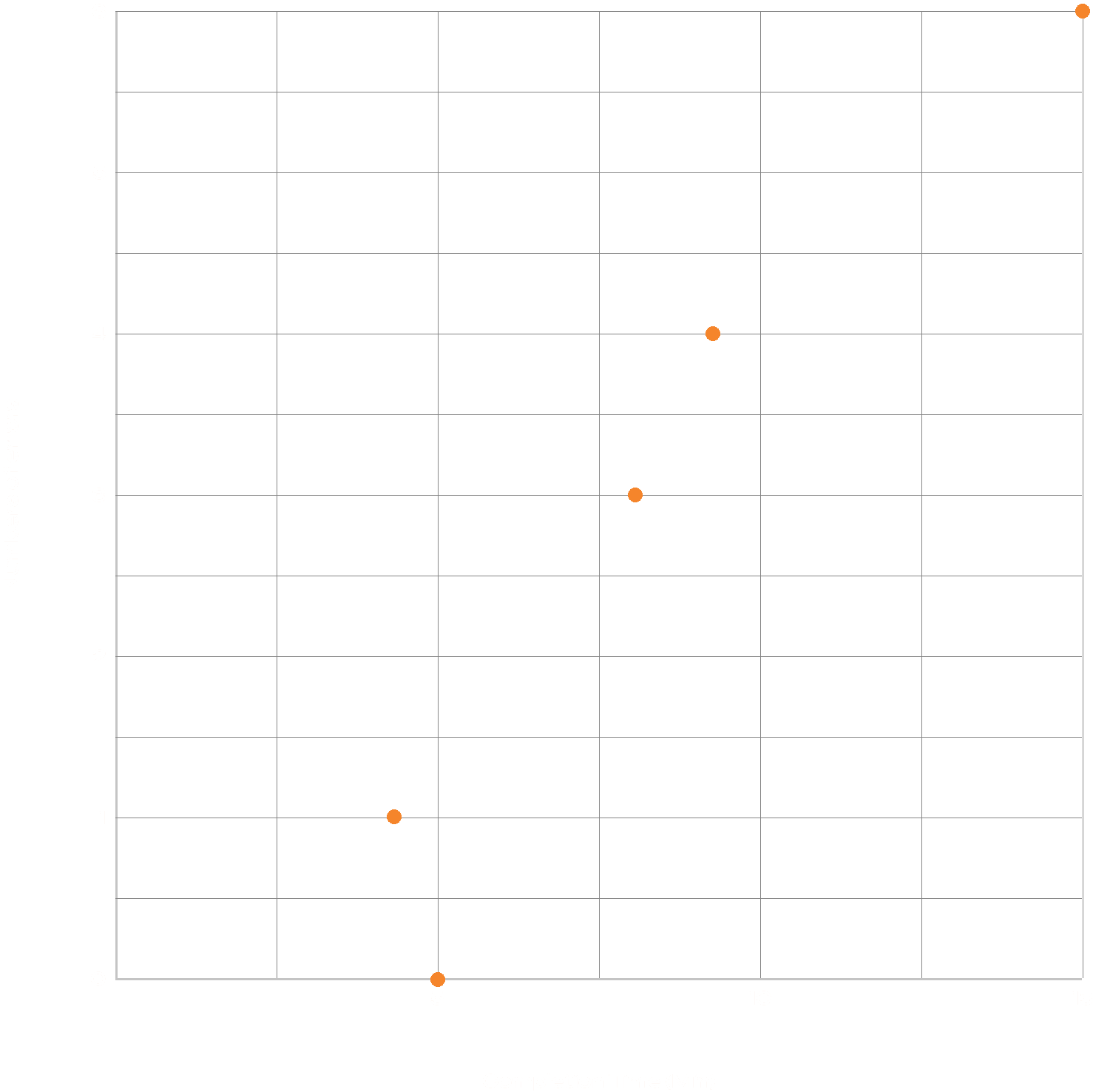
A.Completion Time vs. Errors
A scatter plot visualizes the relationship between completion time and errors. It reveals a positive correlation: as completion time increases, so do the number of errors. This suggests that participants who took longer to complete the task were more prone to making mistakes, possibly due to frustration or lack of understanding.
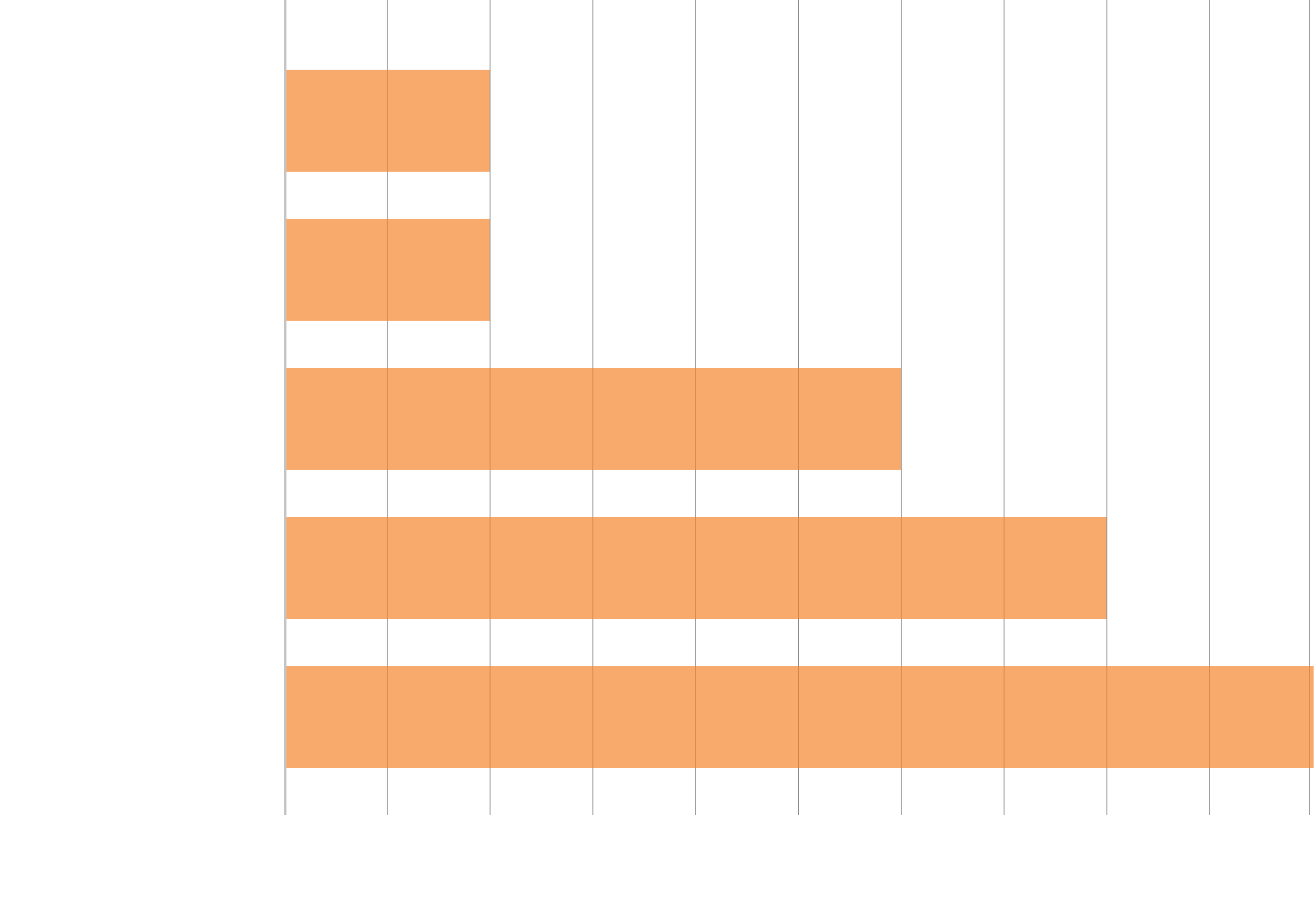
B.Completion Time by User Experience Level
A bar chart illustrates the completion time for each user experience level. As expected, frequent users completed the task significantly faster than intermediate and beginner users. This highlights the impact of user experience on task efficiency.
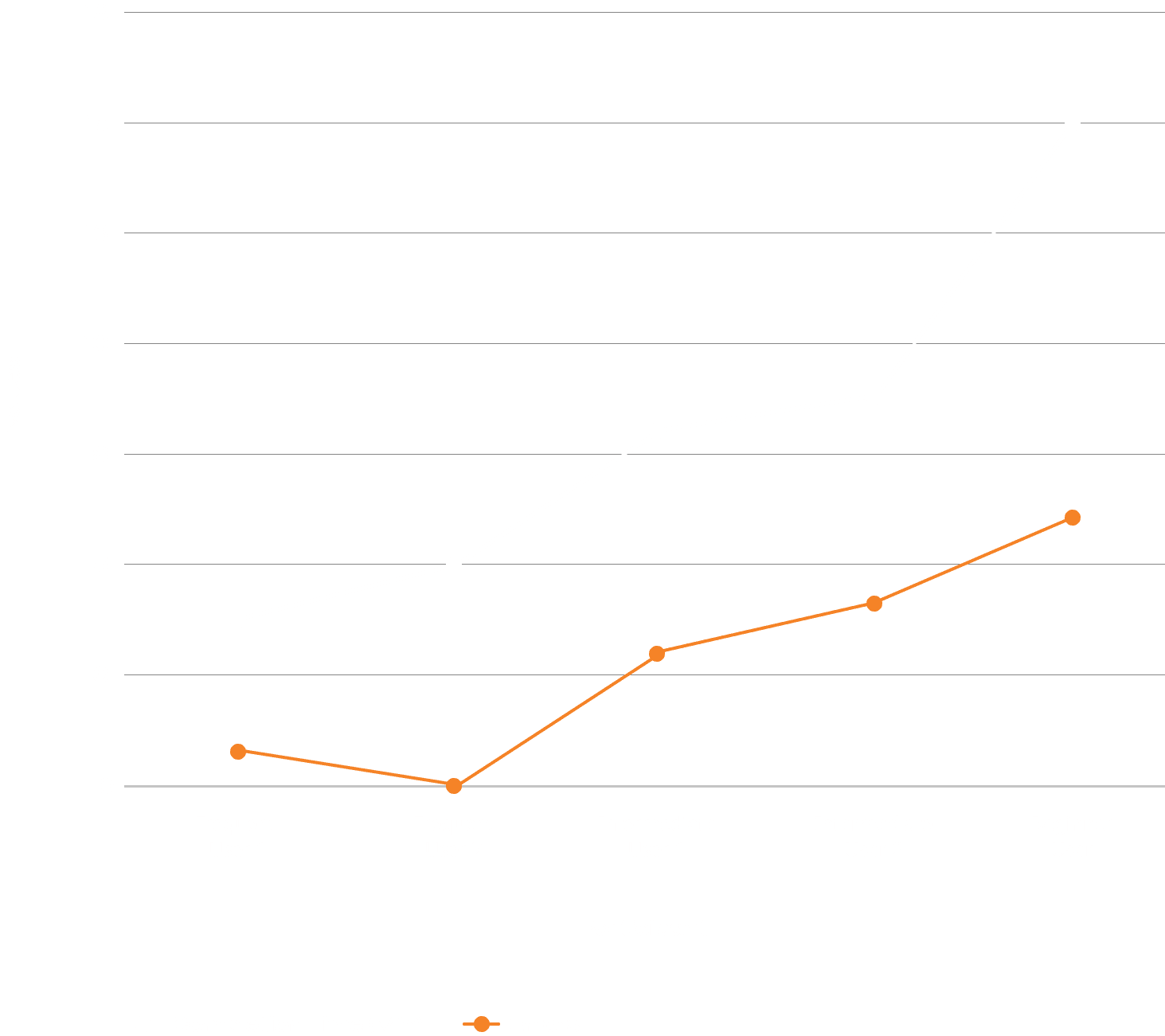
C. Frustration Level by User Experience Level
A bar chart illustrates the completion time for each user experience level. As expected, frequent users completed the task significantly faster than intermediate and beginner users. This highlights the impact of user experience on task efficiency.
Analysis and General Observations
Frequent users exhibited faster completion times due to familiarity but voiced concerns about repetitive manual deletions. Intermediate users experienced moderate frustration and errors caused by difficulty distinguishing chats. The beginner user struggled significantly with task comprehension and interface navigation. Notably, the absence of actionable feedback from the “Memory Full” label and the uniform chat title styling were major usability bottlenecks. Visual cues and clearer action prompts emerged as key areas for improvement.
Human systems engineering (HSE) Principles
I.Cognitive Load
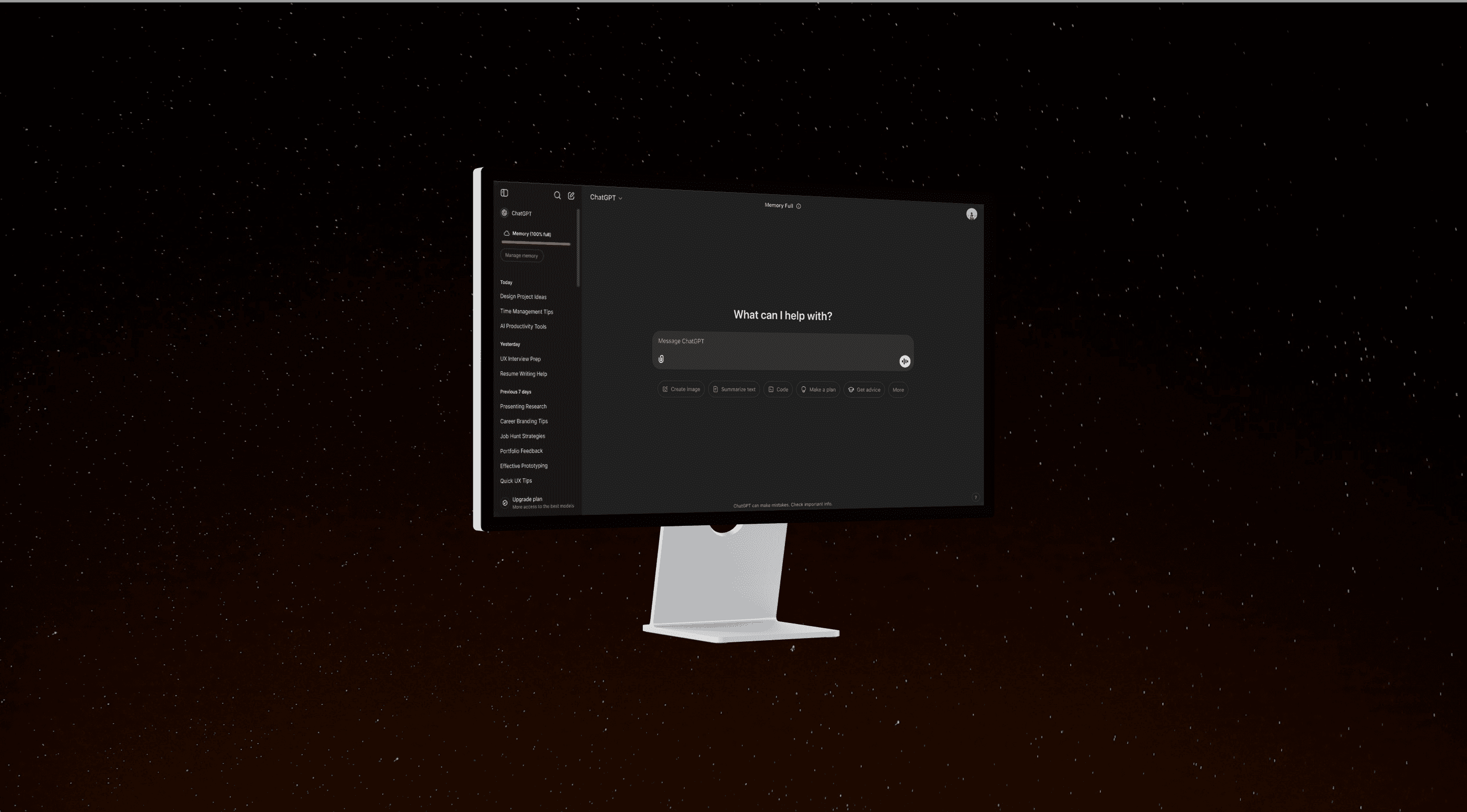
ChatGPT reduces some effort through time based chat organization, but the interface still creates unnecessary mental load. Similar looking chat titles make conversations hard to distinguish, especially in long lists. The Memory Full label also gives little guidance, leaving users unsure how to respond. This makes memory management more difficult, especially for newer users.
Design response
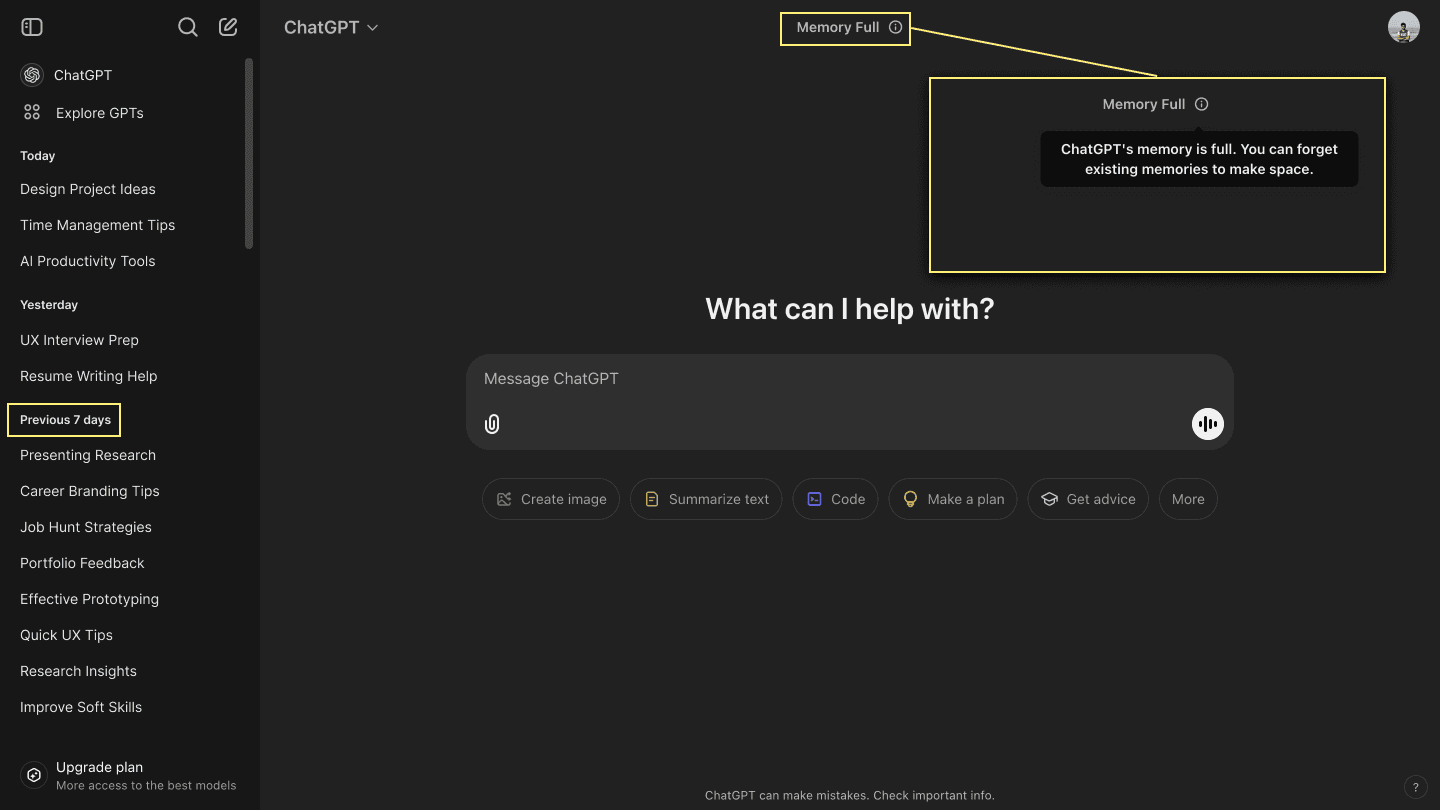
Make the Memory Full label clickable with clear actions such as clearing chats or upgrading memory. Show memory usage directly in the sidebar. Add tooltips or short guidance to help users understand memory related actions.
II. Decision-Making
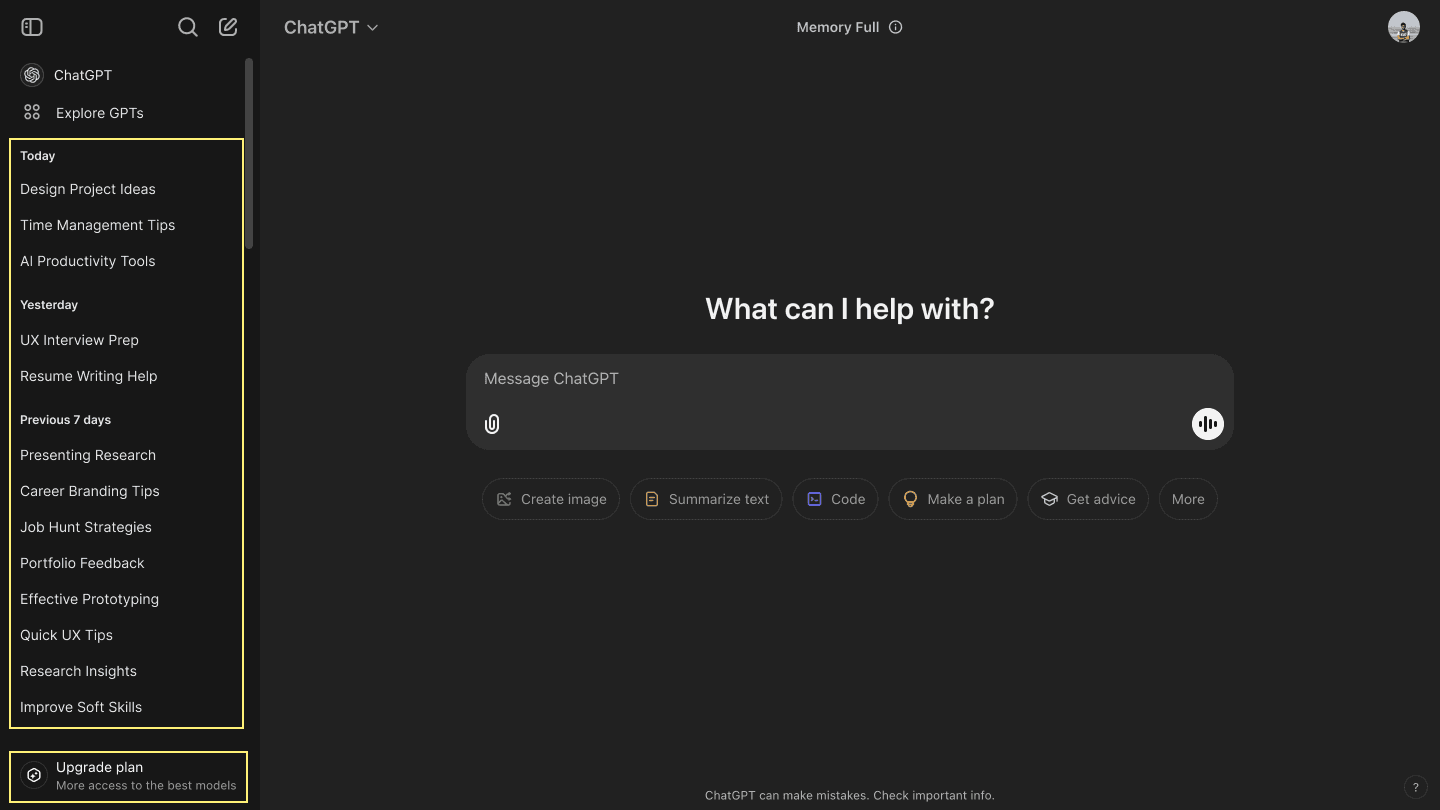
The interface supports core actions through the main input area, but memory related decisions are harder to make. The sidebar lacks hierarchy, so important chats are difficult to spot quickly. The Upgrade plan button also lacks enough visual emphasis, which can delay action when memory becomes an issue.
Design response
Allow users to pin or prioritize chats for faster access. Strengthen the visibility of the Upgrade plan button. Use icons or color cues to separate priority actions from secondary ones.
III. Attention
The chat input field draws attention well, but the rest of the interface is harder to scan. The sidebar lacks clear hierarchy, the feature buttons below the input field have low contrast, and similar looking chat titles make key items harder to spot. This leads to extra scanning and slows navigation.
Design response:
Use stronger typography or color to separate sidebar sections. Increase contrast for frequently used buttons. Group related items into clearer sections, such as collapsible categories, to make navigation faster and easier.
IV. Working Memory
Chat history is organized by time, which helps to some extent, but similar looking chats still force users to remember context on their own. This becomes harder when managing memory heavy conversations because there are no clear cues to identify what matters most. Feature buttons also rely too much on recall since their purpose is not immediately clear.
Design response
Add icons, tags, or labels to make chats easier to recognize. Use progressive disclosure so features appear when needed instead of all at once. Add search and filtering to help users find specific chats faster.
V. Visual Search
Visual search is slow because chat titles look too similar. Users must scan each item one by one, which increases effort and frustration. The lack of cues for memory heavy chats makes it even harder to know what needs attention first.
Design response
Add visual cues such as icons or progress indicators for memory heavy chats. Introduce a memory overview with clear actions and usage visibility. Let users sort or filter chats by memory usage, recency, or frequency of access.
Design Innovations
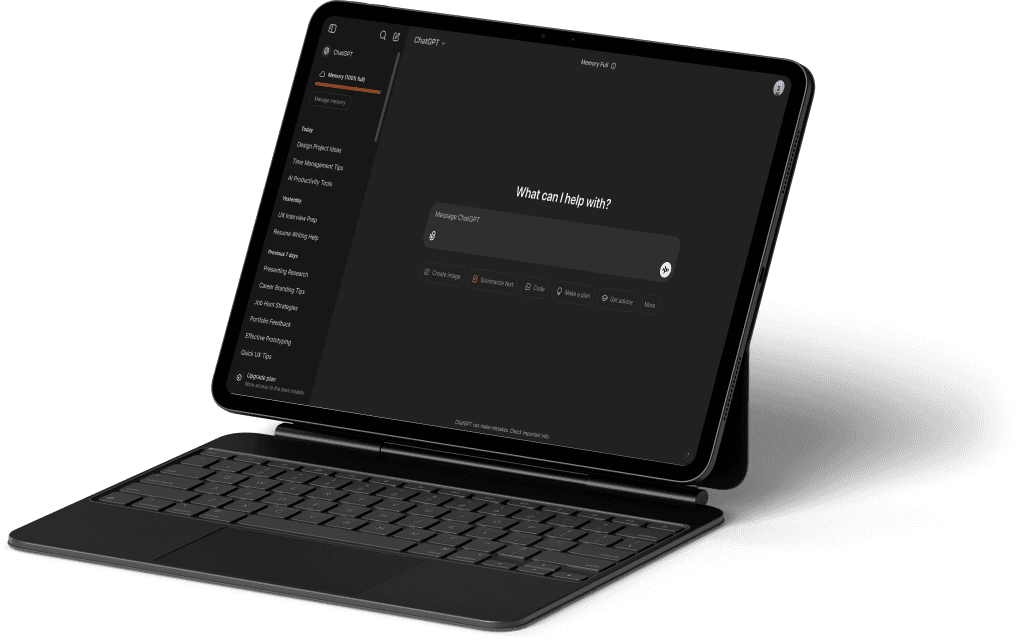
The proposed enhancements to the application's memory management enhancements leverage Cognitive Load and Visual Search HSE principles to address complex challenges through two innovative features: a categorized memory interface with filtering capabilities, and a streamlined image management system.
By minimizing cognitive burden and enhancing visual search efficiency, these features simplify memory organization and provide intuitive content navigation. The design enables users to quickly locate and manage their content through two access points: the "(i)" icon and the "Manage memory" button in the memory-status widget.Our solution creates an efficient, user-friendly memory management approach that aligns with core human-system interaction principles, empowering users with greater control and ease of content management.
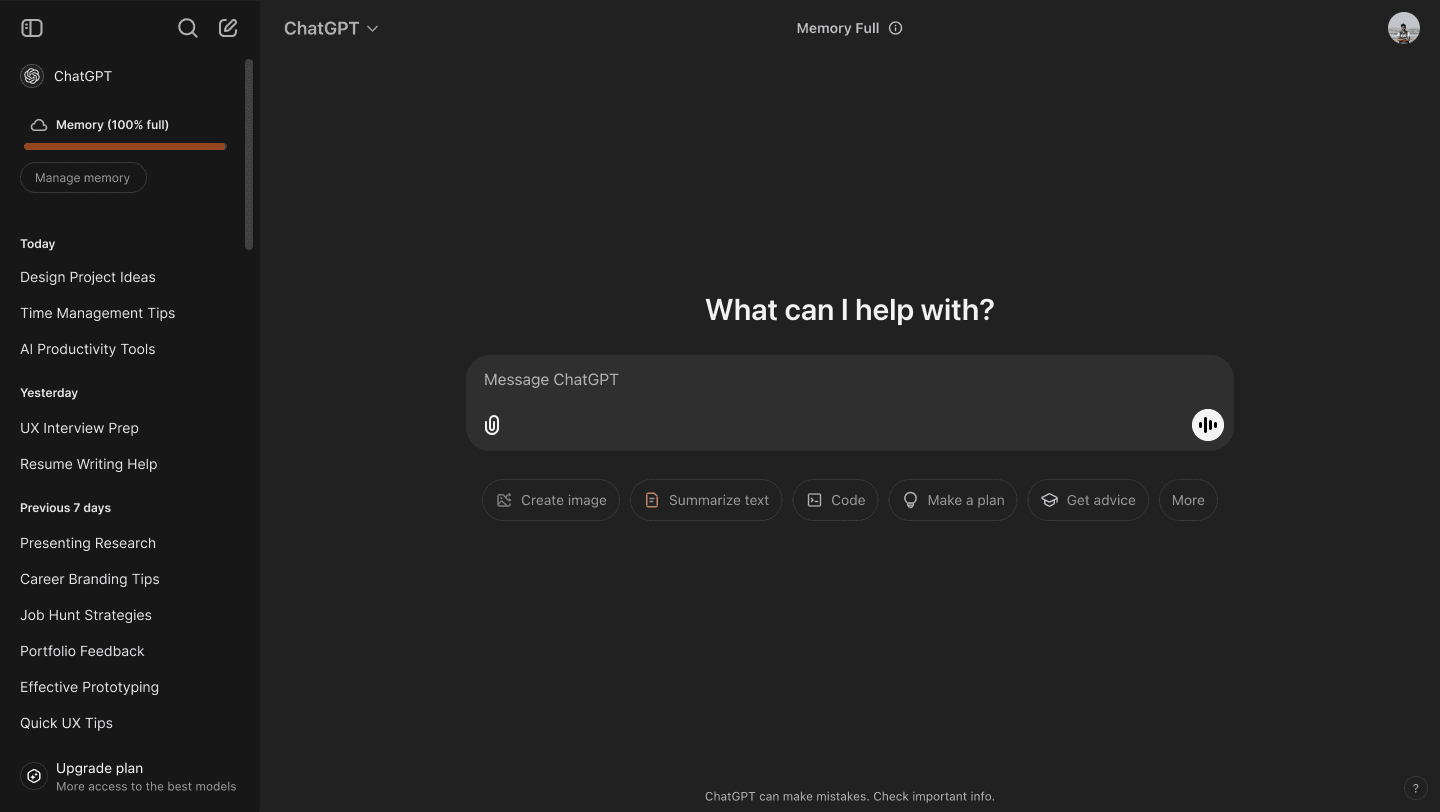
New Redesigned Interface to Manage Memory
I.Categorized Memory Interface
Challenge: The current linear design increases cognitive load and slows navigation.
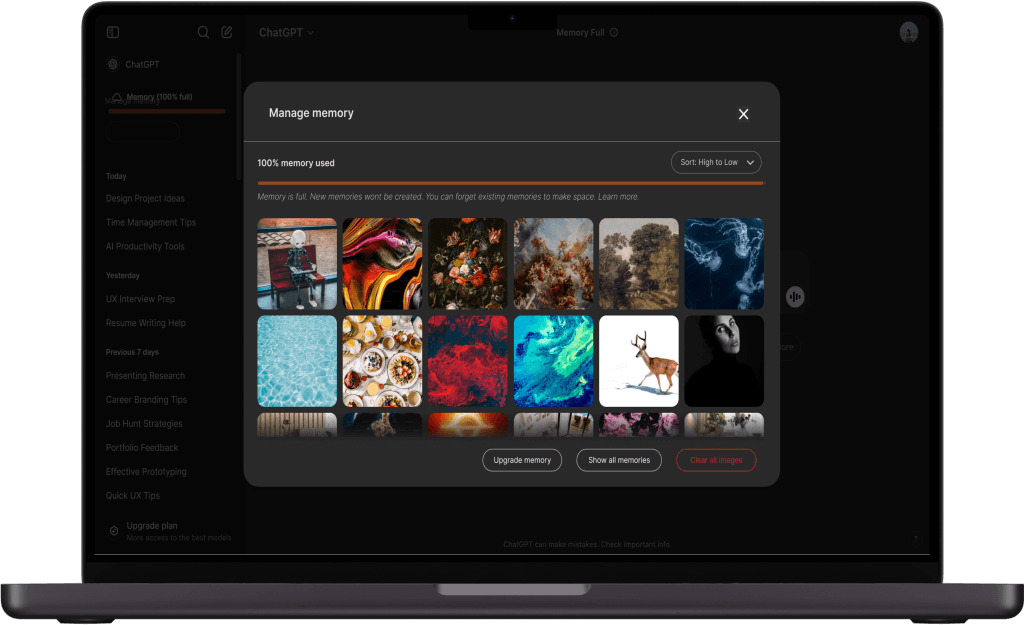
Innovation: Introduce a filter to sort the chats in the memory management interface being added. The sorting dropdown offers six strategic filtering options to meet diverse user needs:
●'High to Low' and 'Low to High' memory usage sorting helps users quickly identify memory-intensive chats for storage management.
● 'Old to New' and 'New to Old' temporal sorting assists in finding chats based on chronological relevance.
● 'Irrelevant' filter surfaces potentially disposable chats that haven't been accessed recently.
● 'With Images' filter specifically identifies image-heavy chats that typically consume more storage
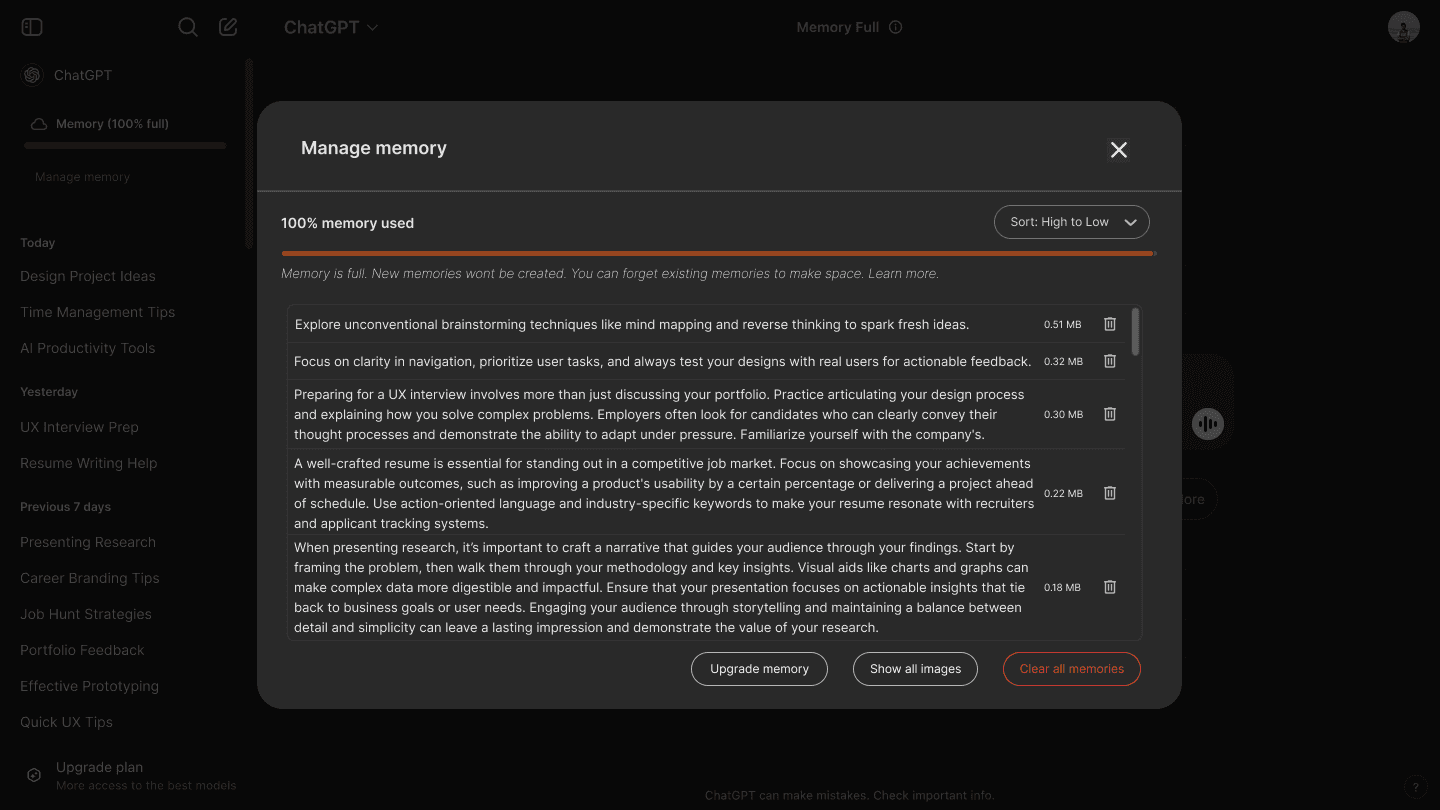
Categorized Memory Interface to manage memory/Images and Sort
II. Image deletion
Challenge: Giving the user access to all the images uploaded to the application for direct deletion.
Innovation: Add a button in the memory management interface to access all uploaded images for easy deletion. The image gallery displays images in a grid layout with selection options for individual deletion or a "Clear all images" button for bulk deletion. A filter drop-down, similar to the chat view, allows users to sort images by memory usage, date, or relevance. This dual deletion approach—individual or bulk—and intelligent sorting enhances efficiency and gives users precise control over storage management.
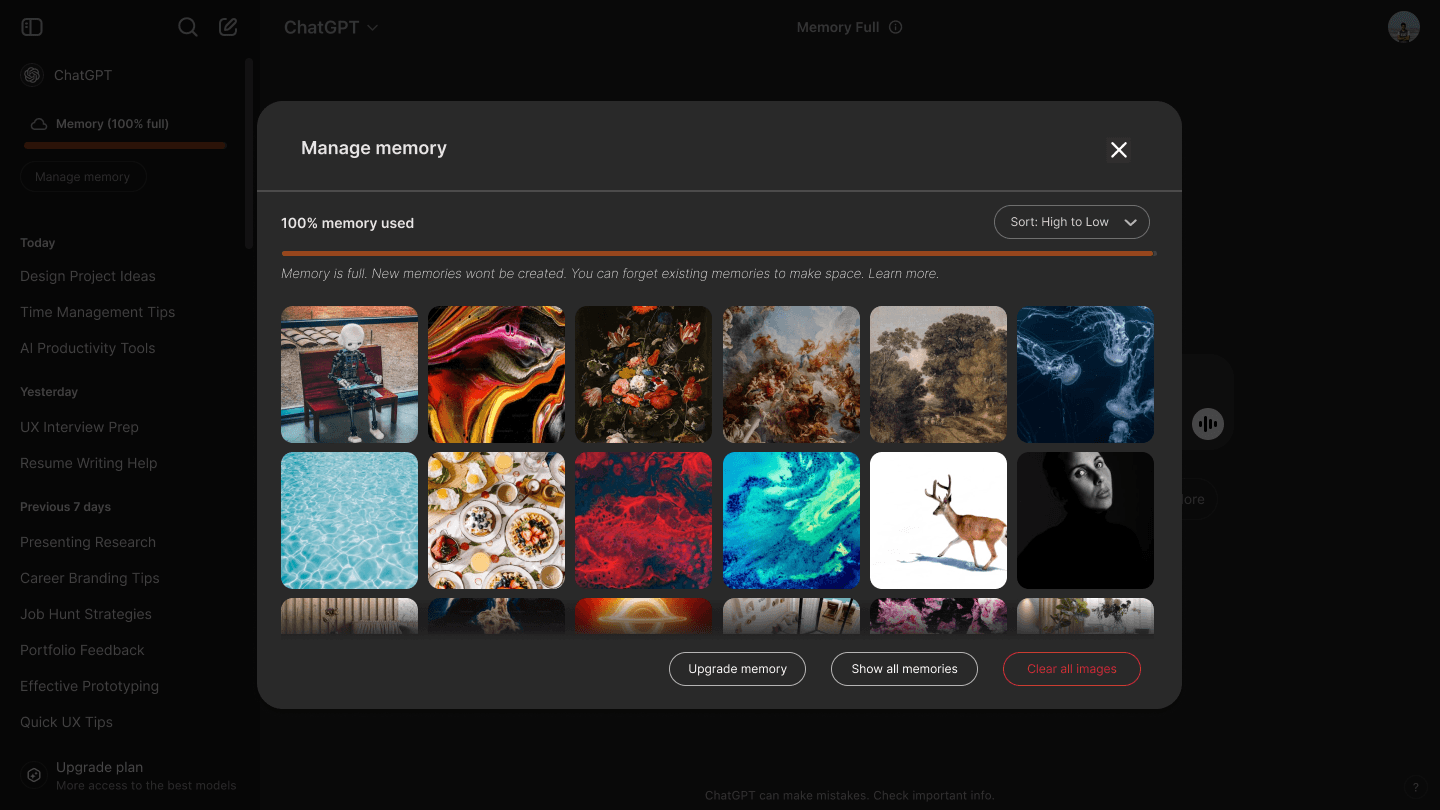
Memory Management Interface with Image Gallery View and Sorting Controls
Conclusion
This study highlights critical usability challenges in ChatGPT’s memory management, including high cognitive load, suboptimal decision-making support, and inefficient visual search. Observations and HSE principles guided actionable recommendations such as transforming the “Memory Full” label and enhancing the sidebar design. These innovations aim to reduce cognitive effort, improve task efficiency, and create a user-friendly experience. Applying HSE principles ensures that user-centric designs optimize both functionality and satisfaction, demonstrating the value of research-driven design improvements.